
✨ New: Save the Relocations.io Portal to Your Home Screen
You can now save the Relocations.io Portal directly to your phone’s home screen and use it just like an app — no App Store or Play Store download required.
This gives you faster access and a cleaner, app-like experience with just one tap.
📱 How to Add the Portal to Your Home Screen
iPhone (Safari)

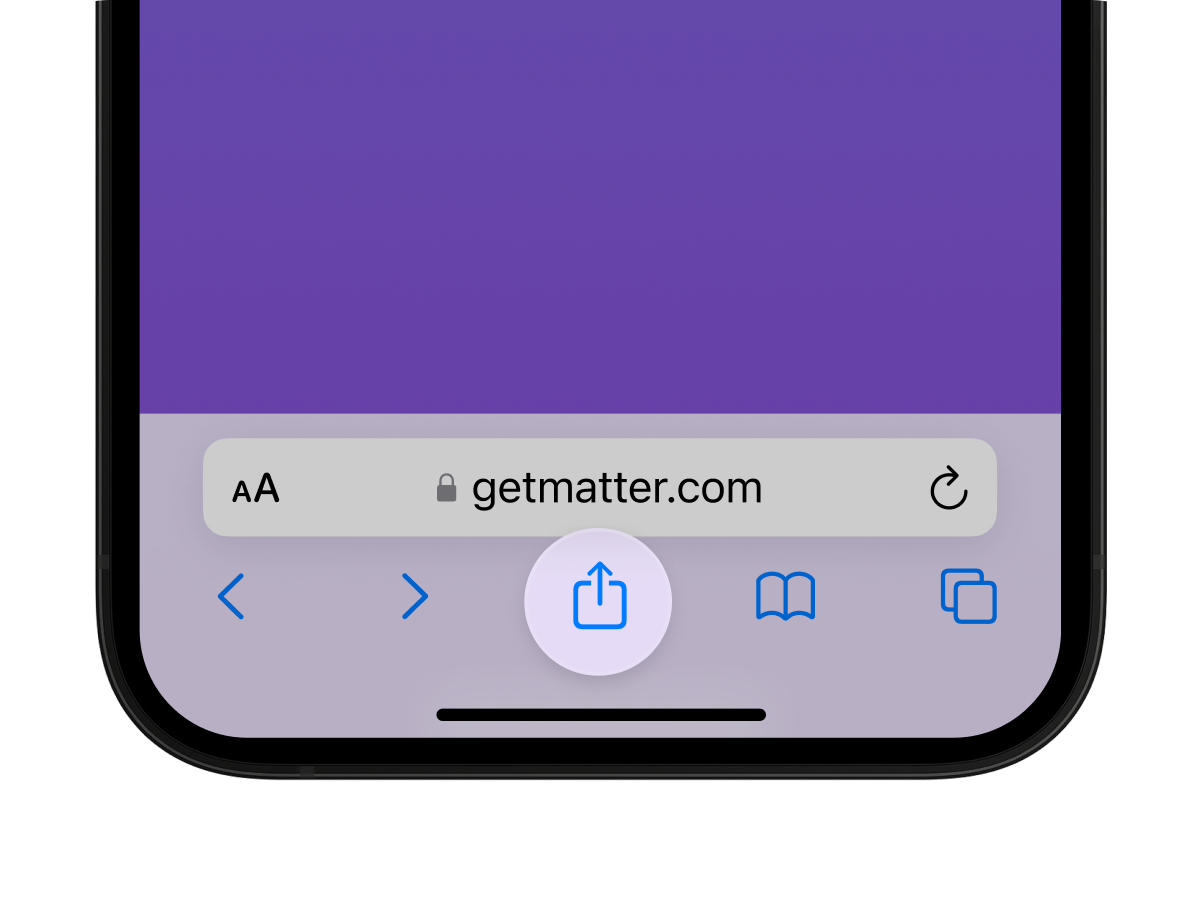
- Open the Relocations.io Portal using Safari
- Tap the Share icon (square with an arrow pointing up)
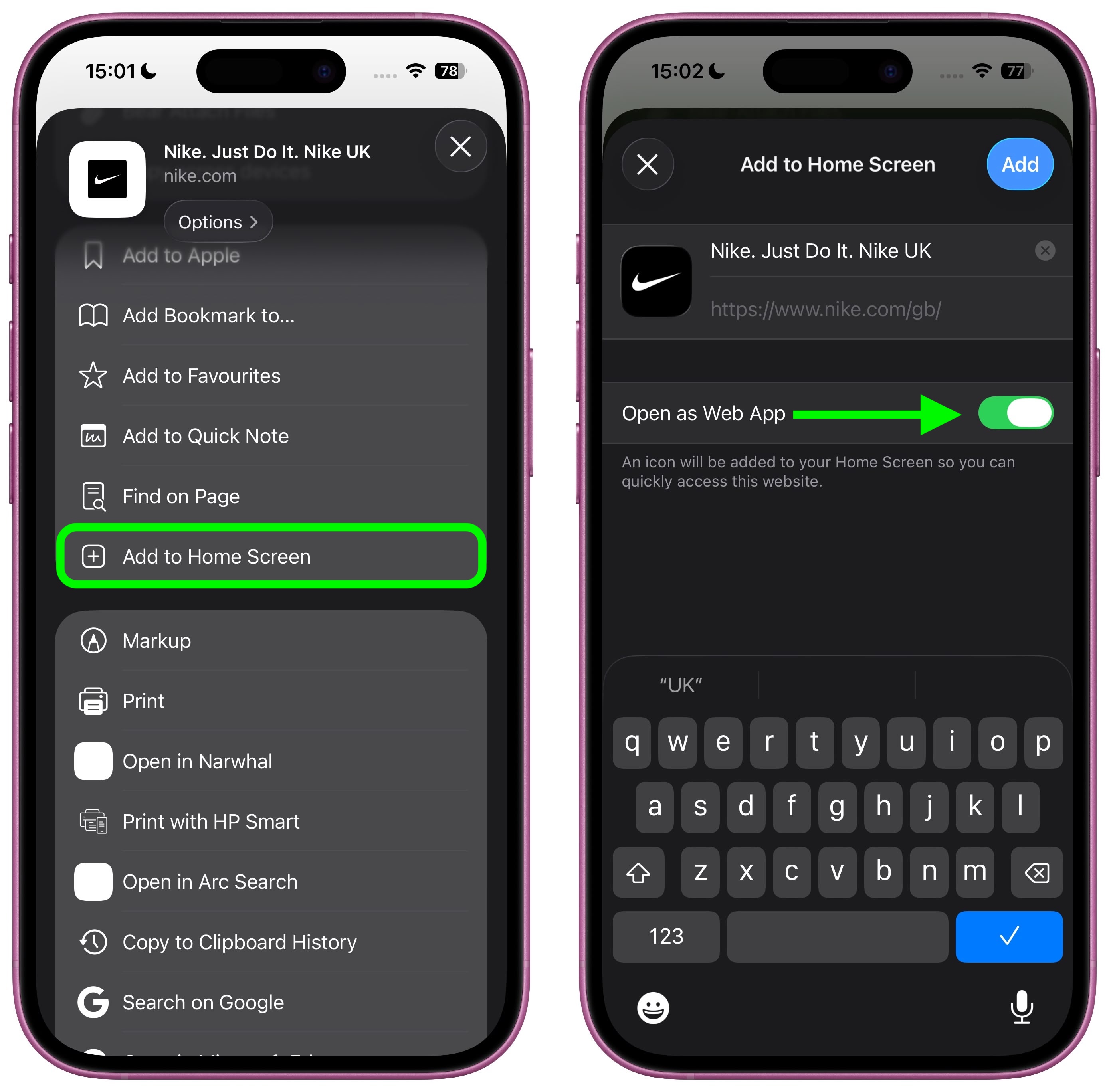
- Scroll down and tap Add to Home Screen
- Confirm by tapping Add
The portal will now appear on your home screen like an app.
Android (Chrome)
- Open the Relocations.io Portal using Chrome
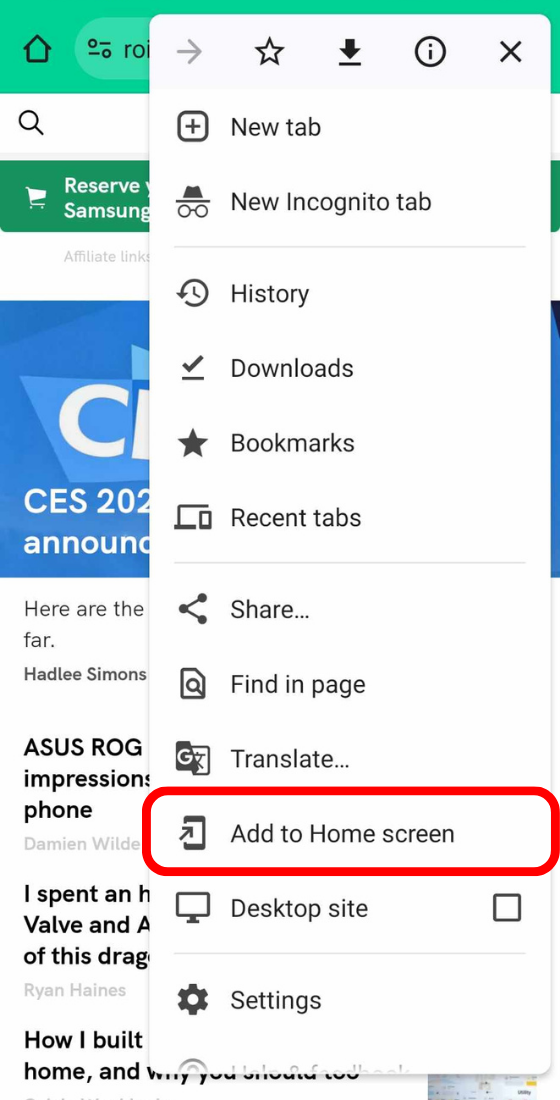
- Tap the three-dot menu in the top-right corner
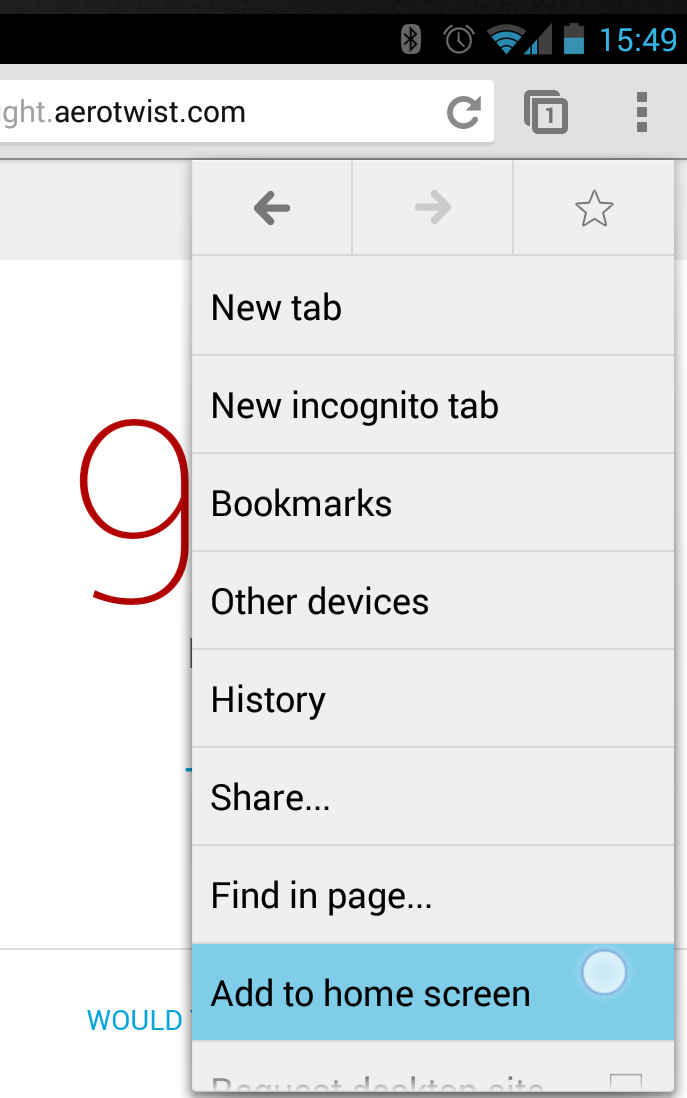
- Tap Add to Home screen or Install app
- Confirm when prompted
The portal will be added to your home screen for quick access.
🚀 Why Save It?
- One-tap access from your home screen
- App-like experience without downloads
❓ Is the Relocations.io Portal a mobile app?
No. The Relocations.io Portal is not a native mobile app and is not available in the Apple App Store or Google Play Store.
It is a secure web-based portal that runs in your browser.
❓ Why does it look and behave like an app?
Modern browsers allow websites to be saved to your phone’s home screen.
When you add the Relocations.io Portal to your home screen, it opens in a clean, app-like view and can be accessed with a single tap — similar to a mobile app experience.
❓ Do I need to download or install anything?
No. There is:
- No app download
- No App Store or Play Store installation
- No additional software required
The portal runs directly from your browser.
❓ Will it work offline?
No. An internet connection is required to access the Relocations.io Portal and its features.
❓ Is this the same as a native iOS or Android app?
No.
While the portal can be saved to your home screen and used like an app, it remains a web-based service and does not replace a native iOS or Android application.
❓ Is my data secure?
Yes. The Relocations.io Portal uses secure, encrypted connections and standard web security practices to protect your information.

 EN
EN  PT
PT  FR
FR  ES
ES  NL
NL  DE
DE  IT
IT  PL
PL  RO
RO  SR
SR  CS
CS  DA
DA  SV
SV